


Download ABIX – Persönliches Informationsmanagement, sichere Sicherung & leistungsstarkes Klassifizierungstool
Übersicht
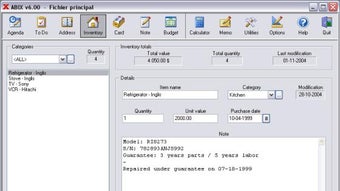
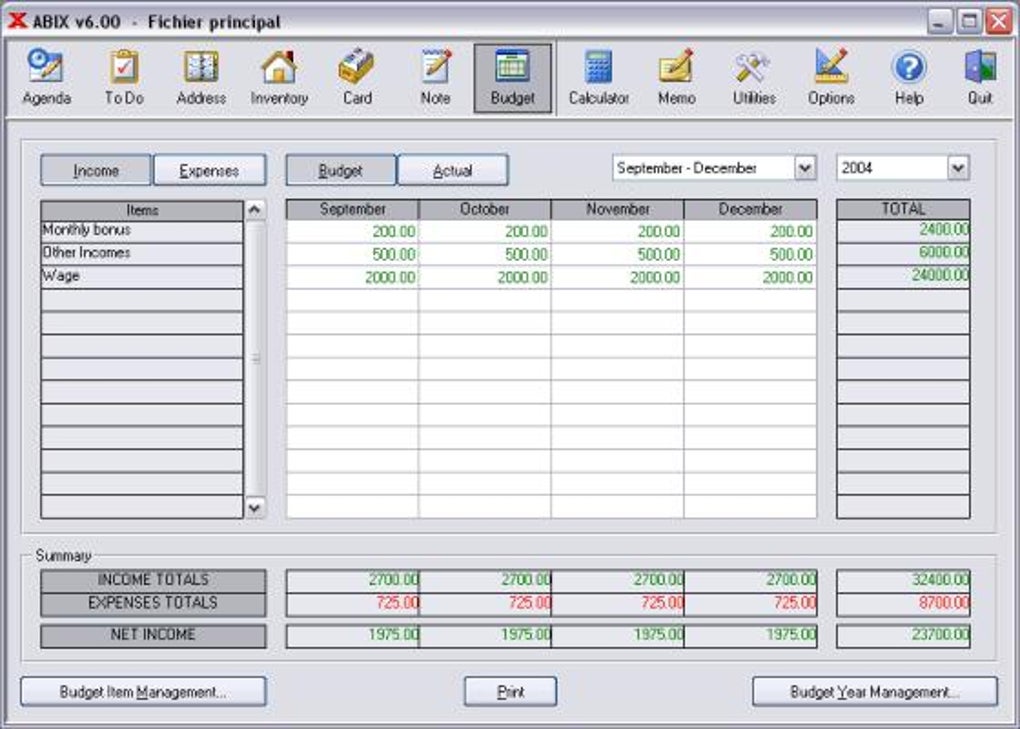
ABIX ist ein umfassendes persönliches Informationsverwaltungsprogramm, das dazu entwickelt wurde, Ordnung in den chaotischen Datenfluss zu bringen, dem moderne Haushalte und kleine Büros täglich begegnen. Ob Sie Kalenderereignisse verfolgen, Kontaktadressen speichern, Inventar verwalten oder einfach ein digitales Notizbuch führen möchten – ABIX bietet eine klare, einheitliche Oberfläche, die jede Funktion nach einer kurzen Einarbeitungszeit vertraut erscheinen lässt. Das Versprechen der Software liegt in ihrer grenzenlosen Kategorisierungs‑Möglichkeit – Sie können beliebig viele Kategorien anlegen und jedem einzelnen Eintrag bis zu zwanzig Textseiten zuordnen, sodass kein Detail verloren geht.
Entwickelt für Privatnutzer und Kleinunternehmer, läuft ABIX reibungslos auf einem einzelnen Rechner oder in einem lokalen Netzwerk und ermöglicht Familien oder Teams, ein gemeinsames Daten‑Repository zu teilen, ohne Geschwindigkeit oder Bedienbarkeit zu beeinträchtigen. Ein integriertes Sicherungssystem schützt Ihre Daten vor Hardware‑Ausfällen, während ein Passwortschutz beim Start die Vertraulichkeit garantiert. Das neueste Update führt einen registry‑basierten automatischen Start, einen zweiten Filter‑Button für verfeinerte Suchen und mehrere Usability‑Optimierungen ein, die frühere Druckfehler beseitigen und die Aufgabenverwaltung verbessern.
Kurz gesagt positioniert sich ABIX als „einmal einrichten – dann vergessen“ persönliches Informations‑Hub, das mit Ihnen wächst und damit eine überzeugende Wahl für alle ist, die eine kostenlose, sichere und hochgradig anpassbare Softwarelösung suchen.
Hauptfunktionen & Eigenschaften
- Unbegrenzte Kategorisierung – organisieren Sie Daten exakt nach Ihren Bedürfnissen.
- Rich‑Text‑Felder mit bis zu 20 Seiten pro Eintrag für ausführliche Notizen.
- Integrierter Kalender mit Fälligkeits‑Tracking und Agenda‑Ansicht.
- Erweiterte Suchmaschine mit Dual‑Filter‑Buttons für schnelle Informationsbeschaffung.
- Sicherer Passwortschutz bei jedem Start zum Schutz Ihrer Daten.
- Automatischer Sicherungs‑Planer – speichert Daten auf Diskette, USB‑Stick oder Netzwerk‑Speicherort.
- Netzwerk‑Modus – teilen Sie eine einzelne ABIX‑Datenbank über mehrere Arbeitsplätze.
- Druckvorschau und On‑Screen‑Berichtserstellung zur Reduzierung von Papierabfall.
- Registry‑basierter Auto‑Start für verbesserte Windows‑Kompatibilität.
- Anpassbare Adressfelder (Primär/Secondary) für flexible Kontaktverwaltung.
Jede Funktion wurde mit dem End‑User im Blick entwickelt. Die unbegrenzte Kategorisierung eliminiert den Bedarf an mehreren Anwendungen; Sie können Kontakte, Termine, Inventar und persönliche Notizen in einer einheitlichen Umgebung verwalten. Die Rich‑Text‑Fähigkeit bedeutet, dass Sie nicht mehr zu einer Textverarbeitung wechseln müssen, um lange Einträge zu erstellen – ABIX erledigt das nativ.
Das Dual‑Filter‑Suchsystem ist besonders wertvoll bei tausenden Datensätzen; Sie können Ergebnisse gleichzeitig nach Kategorie und Stichwort eingrenzen und so die Abrufzeit dramatisch verkürzen. Sicherheit hat höchste Priorität: ein einfacher Passwort‑Gate beim Start schützt vor unbefugtem Zugriff, und der Sicherungs‑Planer sorgt dafür, dass Ihre Daten regelmäßig auf ein externes Laufwerk oder einen Netzwerk‑Share dupliziert werden. Die aktuelle registry‑basierte Auto‑Start‑Änderung löst ältere Windows‑Startkonflikte und macht ABIX zuverlässiger auf modernen Betriebssystemen.
All diese Elemente kombinieren sich zu einem Werkzeug, das sowohl leichtgewichtig für den privaten Gebrauch als auch robust genug für kleine Unternehmensumgebungen ist.
Installations‑ & Nutzungs‑Leitfaden
Schritt‑für‑Schritt‑Installation
1. Download the installer: Visit the official ABIX website and click the “Download for Windows” button. The file is a small, secure .exe package (approximately 12 MB).
2.
Run the installer: Double‑click the downloaded file. Windows will prompt you to confirm the installation – choose “Yes” to proceed.
3. Select installation folder: By default ABIX installs to C:\Program Files\ABIX.
You may change the location if desired.
4. Configure startup option: During setup you can enable the new registry‑based auto‑start feature, which adds a key to HKCU\Software\Microsoft\Windows\CurrentVersion\Run.
5. Finish & launch: Click “Finish” and ABIX will open automatically.
The first launch will request a master password – choose a strong, memorable phrase.
Erstmalige Konfiguration
After logging in, ABIX walks you through a quick “Wizard” that helps you create your initial categories (e.g., Personal, Work, Inventory). You can skip the wizard and add categories later via the “Categories” menu. The next screen prompts you to set a backup schedule – we recommend weekly backups to an external USB drive or network share. Finally, the wizard offers to import data from CSV files, making migration from older spreadsheets painless.
Tipps für den täglichen Arbeitsablauf
• Quick entry: Use the “Ctrl + N” shortcut to open a new item window. Choose the appropriate category and start typing; the rich‑text field lets you embed images, tables, and bullet points.
• Search efficiently: Click the first filter button to select a category, then type keywords in the second filter box. Press “Enter” to display matching results instantly.
• Task management: When you create a task, set a due date.
The agenda view will highlight upcoming deadlines and automatically move completed tasks to the “Completed” list, where you can still edit the completion date.
• Backup reminder: ABIX will pop up a reminder based on your schedule. Click “Backup Now” to export the entire database to your chosen location.
• Printing reports: Select any list view, then click “Print Preview”. Adjust column widths and layout before sending the report to your printer or saving as PDF.
By following these steps, even a first‑time user can become proficient within an hour, as advertised by the developers. The intuitive design, combined with robust shortcuts and clear menus, ensures that managing personal and professional data becomes a seamless part of your daily routine.
Kompatibilität, Vor‑ und Nachteile
Unterstützte Betriebssysteme
ABIX is officially supported on Windows 10, Windows 11, and Windows 7 (with Service Pack 1). The installer uses a standard Win32 executable, making it compatible with both 32‑bit and 64‑bit architectures. While there is currently no native macOS, Linux, Android, or iOS version, the software can be run on these platforms via virtualization (e.g., VirtualBox) or Remote Desktop connections to a Windows host. The network mode works flawlessly across local area networks, allowing multiple Windows machines to access a shared ABIX database without version conflicts.
Vorteile
- Unlimited categories and extensive text fields eliminate the need for multiple specialized tools.
- Integrated backup scheduler and password protection ensure data security.
- Dual‑filter search engine drastically reduces time spent locating information.
- Registry‑based auto‑start improves compatibility with modern Windows versions.
- Simple, consistent interface reduces learning curve for all family members.
- Network capability makes it ideal for small offices and home‑office setups.
Nachteile
- No native macOS or mobile (iOS/Android) client limits accessibility on non‑Windows devices.
- Backup is limited to external storage or network shares; cloud integration is not built‑in.
- Advanced reporting features are basic compared to enterprise‑grade solutions.
- Initial installation requires administrator rights to modify the Windows registry.
Overall, ABIX shines in environments where Windows is the primary OS and the user values a single, all‑in‑one solution for personal and small‑business data management. The lack of native cross‑platform apps is the most noticeable gap, but the robust Windows feature set and the ability to run the program on virtual machines mitigate this drawback for many users.
Häufig gestellte Fragen
Can I import data from other applications like Excel or Outlook?
Yes. ABIX includes an import wizard that accepts CSV files, which can be exported from Excel, Outlook contacts, or most database programs. During the import process you map CSV columns to ABIX fields, allowing a smooth transition of existing data.
Is the backup feature able to encrypt the exported files?
The built‑in backup creates an unencrypted copy of the database file. However, you can enable Windows BitLocker or third‑party encryption tools on the target drive to secure the backup data.
Can multiple users edit the same ABIX database simultaneously?
ABIX supports network sharing, but it uses a file‑based database that allows only one write operation at a time. To avoid conflicts, coordinate editing sessions or use the “Read‑Only” mode for secondary users.
Does ABIX provide any cloud synchronization options?
No native cloud sync is offered. Users can manually place the ABIX data folder within a synchronized cloud directory (e.g., OneDrive or Dropbox), but this is not officially supported and may lead to data corruption if multiple devices edit simultaneously.
How can I reset my master password if I forget it?
If the master password is lost, you must delete the password configuration file located in %AppData%\ABIX\config.ini. After removal, ABIX will prompt you to set a new password on the next launch. Note that this will not affect your stored data.
Fazit & Handlungsaufruf
ABIX stands out as a versatile, secure, and user‑friendly personal information manager that tackles the everyday challenge of data overload. Its unlimited categorisation, rich‑text capabilities, and integrated backup system make it an ideal companion for families, freelancers, and small office teams who rely on Windows platforms. While the absence of native macOS and mobile applications may limit cross‑device usage, the program’s robust Windows features and network sharing compensate for this shortfall in many home‑office scenarios. If you’re looking for a free, secure, and highly configurable tool that consolidates calendars, contacts, inventories, and notes into a single interface, ABIX is worth a download and a thorough test run.
Ready to bring order to your digital life? Download ABIX now and experience the ease of managing all your personal information in one place. Don’t forget to set up regular backups and protect your data with a strong password – your future self will thank you.







